

In 2020 I bought cloudstorageexplorer.com, an expired domain, for $350. In 2026 I rebuilt it with Claude Code, and on October 8, 2026 I found that every page on the new site names a canonical URL that redirects somewhere else.
This post covers both halves: how to check whether an old domain’s history fits what you plan to put on it, and the one-line host mismatch that undid the cleanest rebuild I have shipped.
What was on this domain before I owned it?
The Wayback Machine has captures of the homepage going back to February 14, 2010. I pulled the page title from each era, because the title is the cheapest honest summary of what a site was for.
| Capture | Homepage title | Who ran it |
|---|---|---|
| Feb 2010 | SkyDrive Explorer: Fast and Easy Access to Your Live SkyDrive storage from Windows Explorer | Original developer |
| Jan 2016 | SDExplorer: Fast and Easy Access to Your Live OneDrive (SkyDrive) storage from Windows Explorer | Original developer |
| Jul 2020 | Best Cloud Storage Reviews (WordPress 5.4.2) | Me |
| Jan 2023 | Cloud Industry News & Reviews (WordPress 6.1.1) | Me |
| 2024 to 2025 | Captures in one month of 2024, none in 2025. The site was down. | Nobody |
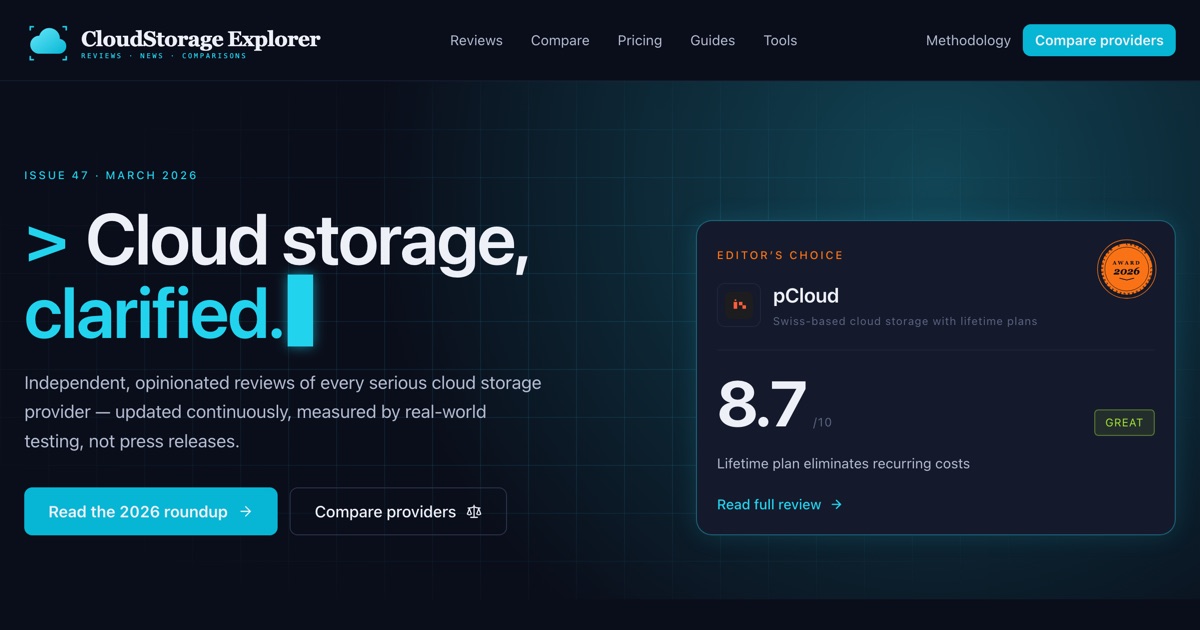
| Apr 2026 | CloudStorageExplorer: See the Real Cost Before You Commit (Next.js) | Me, rebuilt with Claude Code |
For sixteen years the domain has been about one thing: cloud storage. First as a free Windows tool for Microsoft’s SkyDrive, renamed when SkyDrive became OneDrive, then as my review site.
Does that keep an expired domain out of Google’s spam policy?
Not on its own, and this is the assumption most domain buyers get wrong. Google’s spam policies define expired domain abuse as a domain “purchased and repurposed primarily to manipulate search rankings.”
Every example Google gives is a change of subject: affiliate content on a former government agency site, medical products on a former charity site, casino content on a former school site. The test is the purpose and the value of what you publish, not the topic match.
So the Wayback check does not clear you. It tells you whether you are standing in the exact pattern Google describes. A cloud storage review site on a former cloud storage tool’s domain is not that pattern. A cloud storage review site on a former school’s domain would be, however good the reviews were.
What did the 2026 rebuild look like?
The live branch has 50 commits between February 5 and May 1, 2026, and 29 of them are co-authored by Claude. The content went up on April 17 in six commits: the site build, the provider reviews, the pillar pages and the compare pages. Then 37 of the 50 commits landed on one day, April 20, in a redesign.
Today it serves 58 URLs from its sitemap: 20 under /reviews, 13 under /compare, plus pricing pages, guides and calculators. The content lives in 45 MDX files. The calculators exist because of one row in the original strategy doc: none of the five competing review sites it compared had an interactive cost calculator.
Why does every page point Google at a redirect?
The code and the host disagree about the site’s address. The code says https://cloudstorageexplorer.com. The host serves https://www.cloudstorageexplorer.com and sends the bare domain there with a 308 redirect.
One constant, SITE_URL, is hard-coded to the bare domain in two files. Every canonical tag, every sitemap entry and the structured data are built from it. Here is what Google gets from one review page:
$ curl -sI https://cloudstorageexplorer.com/reviews/pcloud
HTTP/2 308
location: https://www.cloudstorageexplorer.com/reviews/pcloud

$ curl -s https://www.cloudstorageexplorer.com/reviews/pcloud | grep canonical
<link rel="canonical" href="https://cloudstorageexplorer.com/reviews/pcloud"/>
Google’s canonicalization guide calls a redirect “a strong signal that the target of the redirect should become canonical.” It calls rel="canonical" “a strong signal that the specified URL should become canonical.” On this site the two strong signals point in opposite directions on every page.
The sitemap makes it worse. The same guide says “all pages listed in a sitemap are suggested as canonicals.” I checked all 58 sitemap URLs. All 58 are on the bare domain, so every URL I asked Google to index answers with a redirect. The homepage has no canonical tag at all.
The hosting record shows when this started. The setting that sends the bare domain to www was last changed on May 17, 2026, a month after both domains were added on April 17. What the bare domain did before May 17 is not in the record I have, so I can only date the mismatch from that day.
Nothing on the site looks broken. Every page renders, every link works, and the build passes. That is why a bug like this survives a launch.
What has it cost so far?
I don’t know yet, and I am not going to guess. Google’s guide does not say which signal wins when a redirect and a canonical disagree; it leaves the choice to Google. The answer is in Search Console’s page indexing report for this property, and I will add those numbers here when I have pulled them.
How do you fix it?
Pick one host and make every signal agree with it. There are two ways, and only one needs a deploy.
- Change the host, not the code. In the hosting dashboard, make the bare domain primary and redirect www to it. The canonicals, sitemap and schema are then already correct.
- Or change the code. Set
SITE_URLto the www address in both files, give the homepage its own canonical, and redeploy.
I took the second route on October 8, 2026, because www was already the host Google was being redirected to. The address now lives in one file, src/lib/site.ts, and the layout, sitemap, robots file and structured data all import it. The same commit gave the homepage a canonical and told crawlers to skip the /go/ affiliate redirects. It changed six files and 23 lines.
What to check before and after rebuilding an old domain
- Pull the homepage title from one Wayback capture per era. If what you plan to publish changes the subject, you are in the pattern Google’s spam policy describes.
- Before launch, decide www or bare domain, and write it down in one place in the code.
- After launch, run
curl -sIon one sitemap URL. If it returns a redirect, your sitemap is suggesting URLs you do not serve. - View the source of three pages, including the homepage. The canonical host must match the address bar after redirects.
- Check Search Console’s page indexing report two weeks after launch, not two quarters.
Related fixes: trailing slash canonical mismatches in Next.js on Vercel, and the canonical signals I fixed when Bing outsent Google.
Sources
- Google Search Central, Spam policies for Google web search, expired domain abuse (page updated 2026-08-28).
- Google Search Central, How to specify a canonical URL (page updated 2026-07-10).
- Internet Archive, Wayback Machine captures of cloudstorageexplorer.com, 2010 to 2026.
- The cloudstorageexplorer.com repository and live site, checked October 8, 2026.


